Improved SSO and SCIM Applications Experience
Get ready for another upgrade! Introducing the revamped SSO Applications page. After enhancing the Devices List and Users List pages, we're bringing improvements to the SSO Applications page. Expect all the familiar features and functionality, now with an even better experience configuring and updating prebuilt and custom applications.
This update lays the groundwork for future planned improvements to SCIM integrations. We will be releasing those improvements to the SSO Applications page incrementally, so keep checking back for updates to the experience.
The new enhancements are:
- Customizable Attribute Mapping Tables:
- A list showing the required and optional SCIM user and group attributes is available immediately when creating a custom or prebuilt SCIM connector. Previously, all available user attributes were automatically transmitted and there was no visible list
- Using the new Edit function, admins can now add or selectively exclude specific optional attributes:
- The
managerattribute is now included in the list of optional user attributes - Group attributes can be used to define roles and licenses
- The
- After clicking Preview Mappings, the User Schema Preview window shows both user and group schemas
- Clicking the Save and Sync button initiates a complete sync of all users and groups after making a change to the attribute mapping table. Previously, admins had to wait for the next scheduled sync for the attribute mappings to update
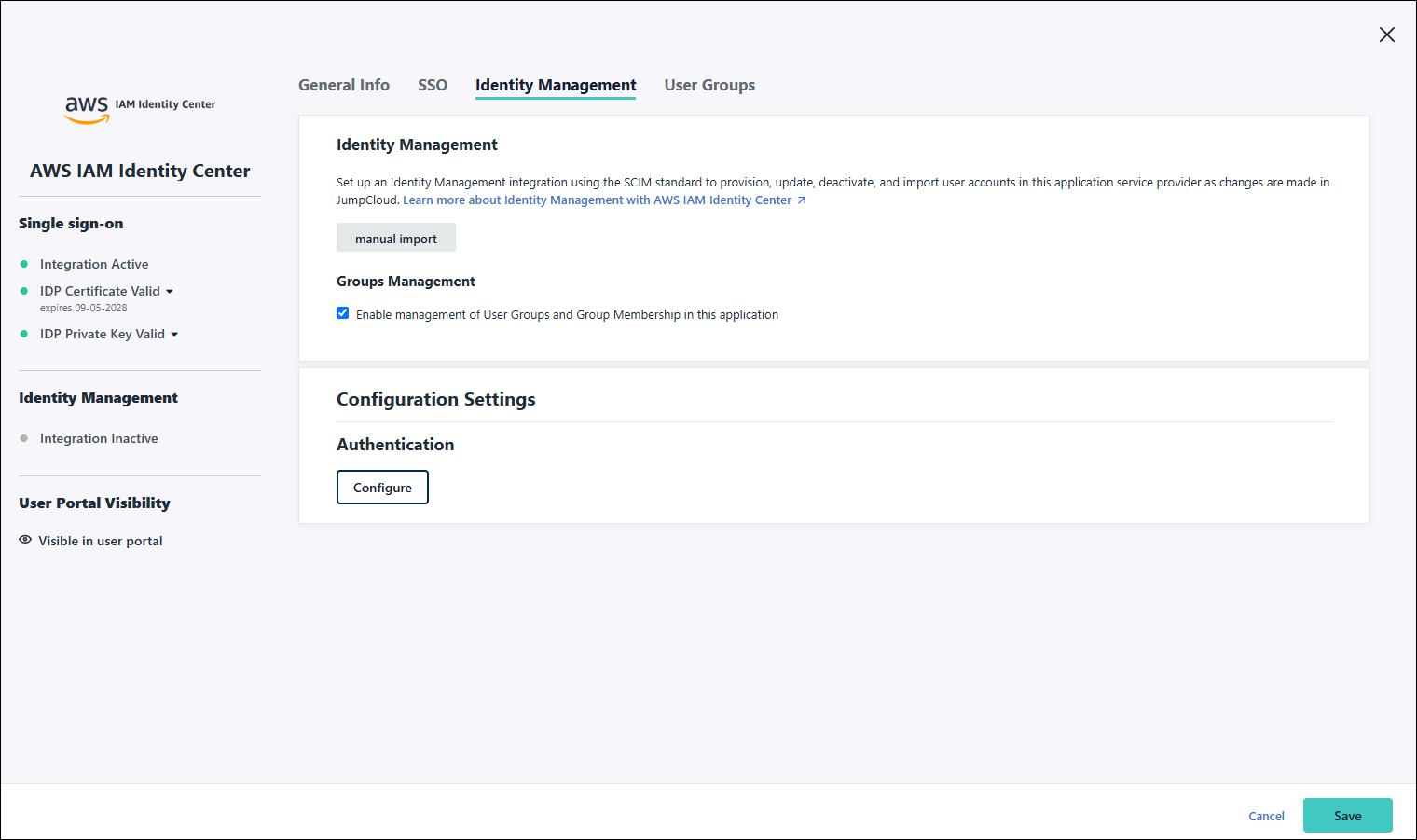
- New Page Layout - the legacy aside view has been changed to a full page.
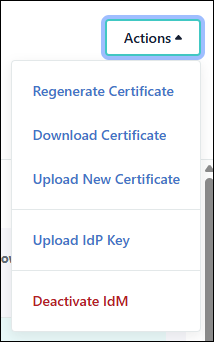
- New Actions menu - as part of the full-page interface update, the side information panel has removed.
Click any image in this article to enlarge it.
Customizable Attribute Mapping Tables
Customizable User and User Group Attribute Mapping tables are now available when creating SCIM application connectors. These capabilities apply to both pre-built and custom SCIM connectors, providing increased transparency and improved troubleshooting.
User Attribute Mapping
From your application's Provisioning tab, you can now customize SCIM user attribute mappings to shape user data before it is sent to the SP. The new functionality enables:
- See and Edit Default Mappings: View the default mapping set for any connector and modify them to fit your requirements
- Flexible Mapping Types: Mappings can be direct (e.g.,
firstname→name.givenName) or configured using expressions, constants, and booleans - Standard and Custom Attributes: Map JumpCloud standard attributes and custom user attributes to SCIM attributes
- Manager Attribute: Map the
managerattribute from the JumpCloud system user record to the SCIM managers object on the SP side. Use the manager'sDistinguished NameorEmailfrom JumpCloud to themanager.valueattribute in the SCIM schema, ensuring reporting hierarchies are maintained in the target application - Group Attributes: Admins can drive application-specific roles and licenses by using user group custom attributes or group membership ensuring users automatically receive the correct entitlements. It also allows mapping of the active status value providing more control over user activation and deactivation in the SP
- Schema Extensions: Support for mapping to SP custom schema extensions where available
- Granular Inclusion/Exclusion: Include or exclude specific attributes at a granular level (not just optional ones) while maintaining the ability to Restore Defaults at any time
The previous behavior, where all available user attributes were automatically transmitted, has been replaced by these configurable mappings. Attribute transmission is now strictly governed by the attribute mapping UI and/or API.
| Old | New |
|---|---|
 | 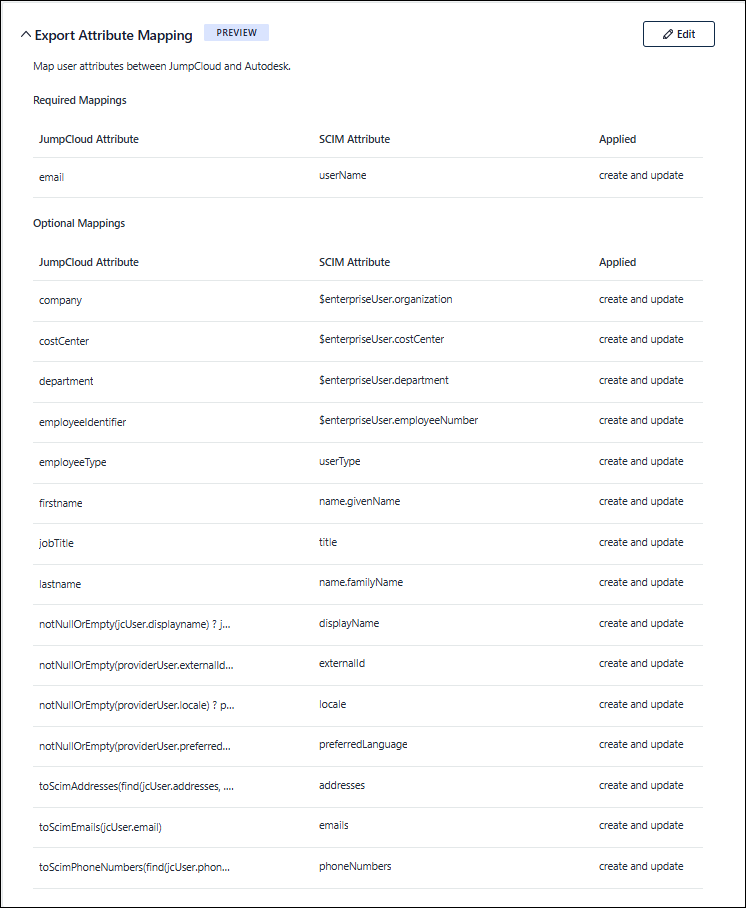 |
Clicking Edit above your SCIM connector's attribute table will bring you to Export Attribute Mappings page where you can add, edit, or delete your attribute mappings. You can also preview your mappings and restore the default mapping table.
You can only delete optional mappings.
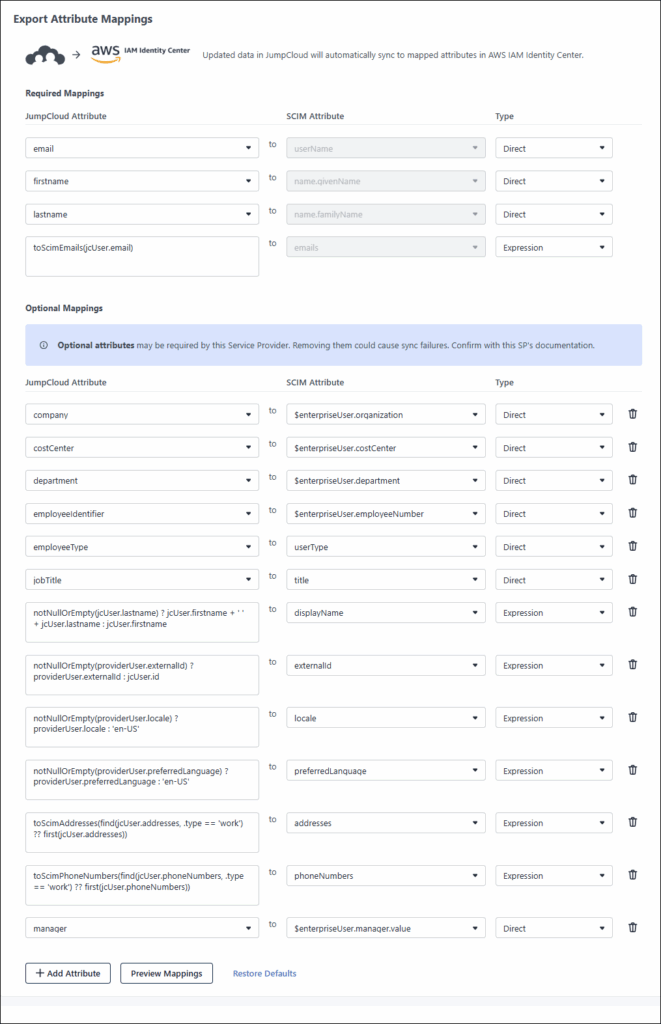
It's highly recommended you use all optional mappings. This creates a more complete user profile, enabling better automation and more accurate access management within the application.
After adding your new mappings, click Preview Mappings. The User Schema Preview window will appear where you can check both User and Group schemas.
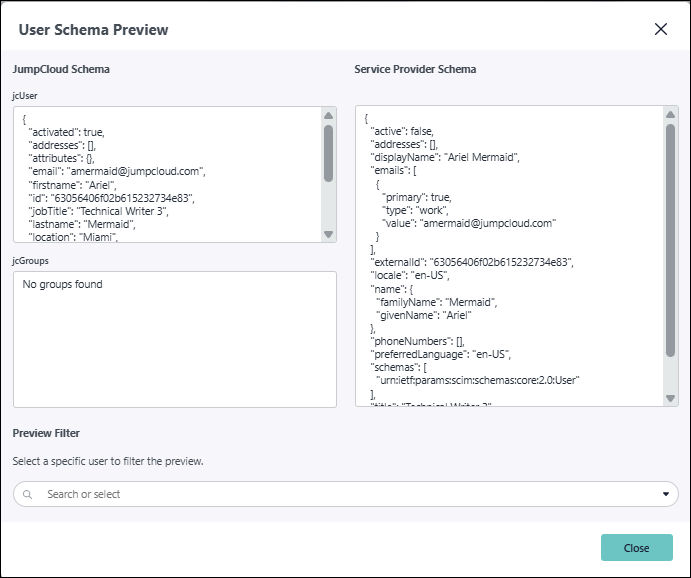
After confirming your mappings are correct, click:
- Save and Sync to initiate an immediate full sync of the updated attributes
- Update to initiate the update during the next modification of the user group's record, like adding a space to the Descriptionfield
User Group Attribute Mapping
JumpCloud now also supports Group Export Attribute Mapping for both prebuilt and custom SCIM connectors. Admins can configure how JumpCloud groups are named and structured when synced to downstream Service Providers (SPs), enabling alignment with app-specific naming conventions and complex schema requirements. The new functionality enables:
- Group name overrides — Map JumpCloud group display names (e.g.,
jcGroup.name→group.displayName) to match target application requirements. ThedisplayNamerule is required by default - Extended schema support — Map vendor-specific or custom attributes beyond
displayNameandmembers, including complex SCIM schema extensions - Mapping Preview — Use the Preview Mapping button to see a side-by-side view of how group data will be translated before syncing
- Enhanced Test Connection — Specify a test group and representative user to validate
/verifyand/activatesteps before enabling live sync - Directory Insights logging — All group translation rules generate audit events for full visibility into group provisioning activity.
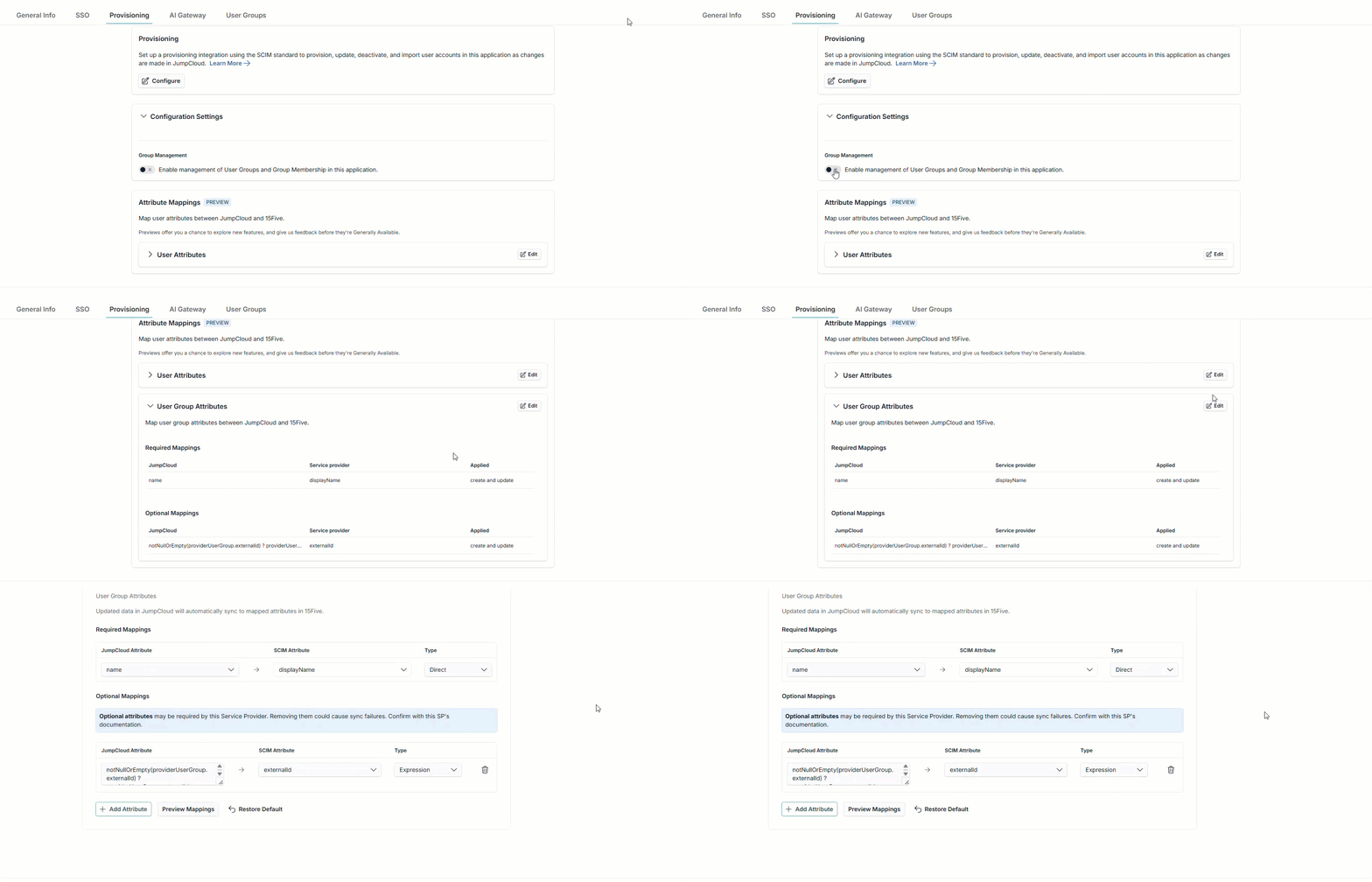
End users are unaffected — group membership syncs automatically, ensuring downstream role assignments and permissions are applied reliably.
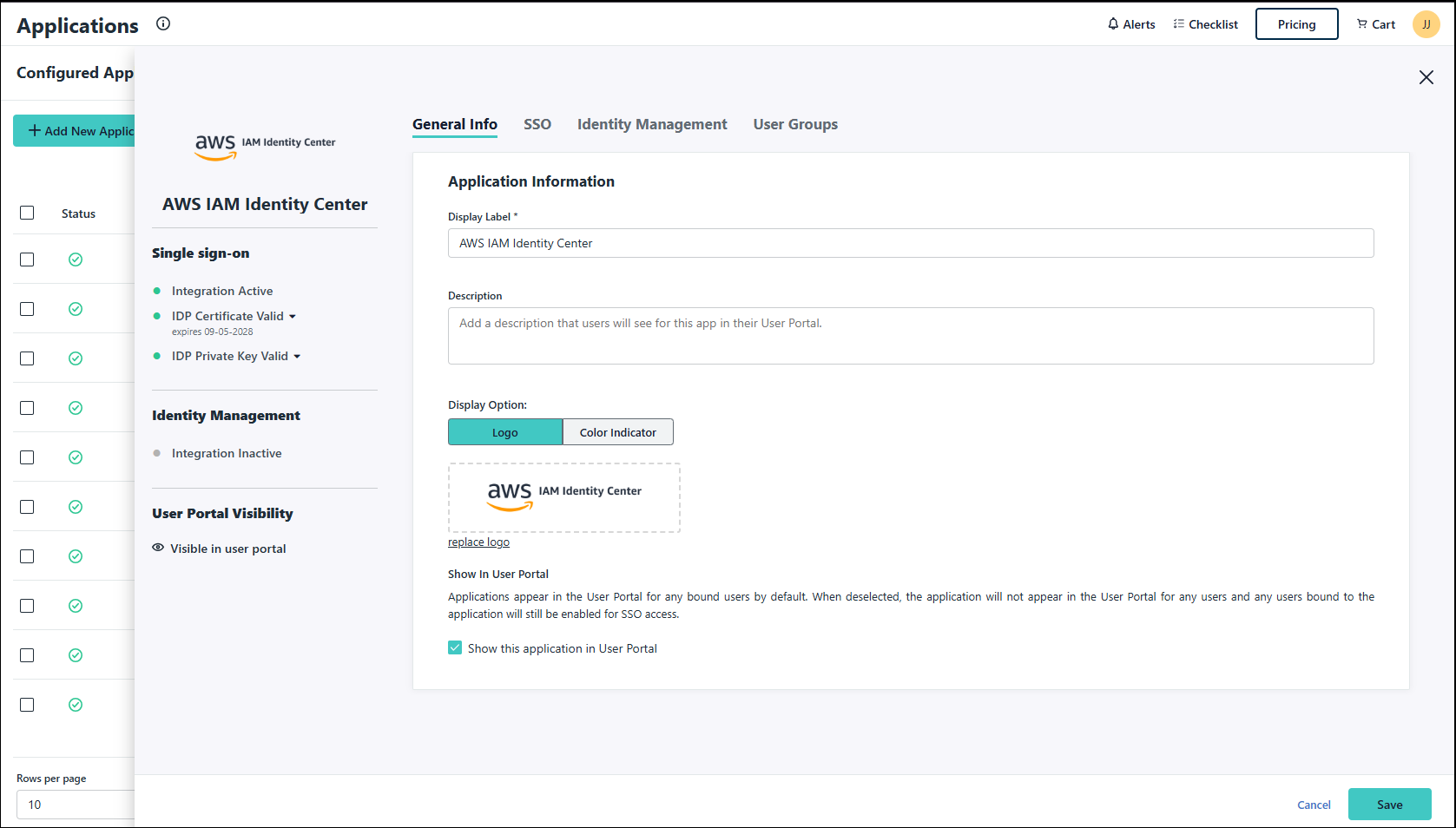
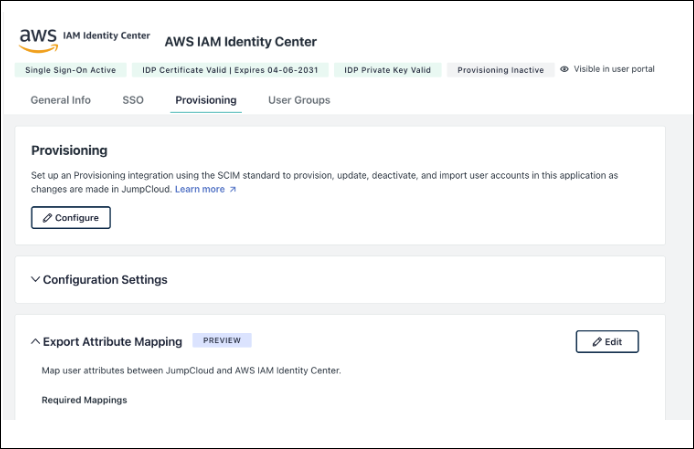
Full-Page Application Details
The legacy aside view has been replaced with a full-page interface, providing a more expansive and streamlined experience for viewing and managing application connector details. Identity Management has been renamed to Provisioning.
| Old | New |
|---|---|
 |  |
Actions Menu
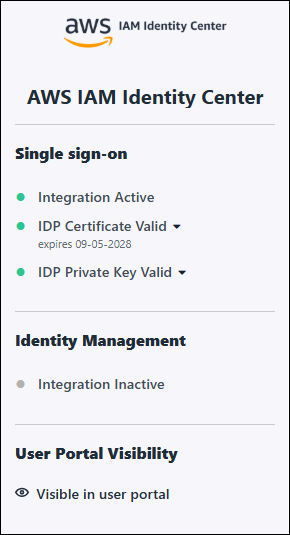
The status of your integration(s), certificate and IdP Key are now shown above the application configuration tabs. Certificate management, uploading the IdP key and deactivating IdM has been moved to the new Actions menu.
| Old | New |
|---|---|
 |   |
Was this information helpful?